Crash when trying to play a round in E6 Connect
E6 CONNECT is crashing when you attempt to load a course.
Note This may only be happening on some courses and might be seen when taking a shot
There could be a few reasons why this is happening. Below is a list that have been reported. Use this link to the E6 CONNECT manual for details on how to resolve issues that refer to the manual. https://e6golf.com/e6-connect/manual/
- Computer specs do not meet the required spec.
RECOMMENDED:
- Intel i5 Processor
- 8GB RAM
- Nvidia 1070 Graphics Card or greater
- (Dedicated GPU with DirectX 11 Support)
- 25GB of Hard Drive Space
- Windows 10 (Required)
- Internet Connection (Required)
- Out of date graphics card driver. – Go to the manufacture website and download the latest drivers.
- Computer is unable to run the game in the full screen resolution. – Removed Full Screen and used Windowed mode to a smaller size.
1. Launch E6 Connect and on the home screen click on the blue Gears icon.
2. In the next screen select the Video option in the center list, change from Full Screen to Windowed and set the Window size at 800x600. _If the course runs the video card might most likely isn’t running at a 1070 spec.
3. Click on Accept and you will be notified that you will have to close Connect and then re-open it for the changes to take place.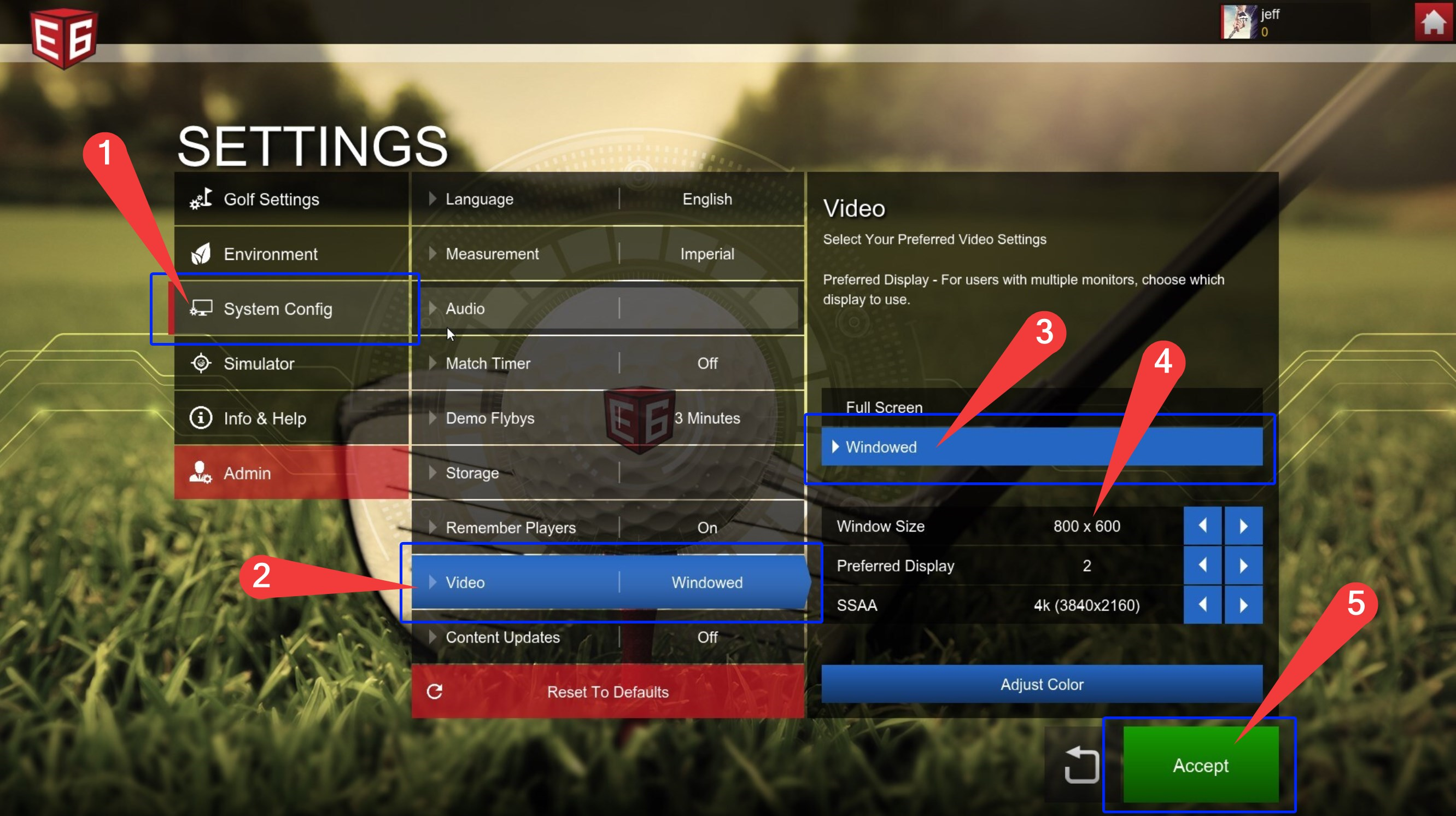
4. After you have closed and launched Connect again you will see a smaller window for the game. Please set up a round on a course that has been causing a crash and see if a crash happens again.